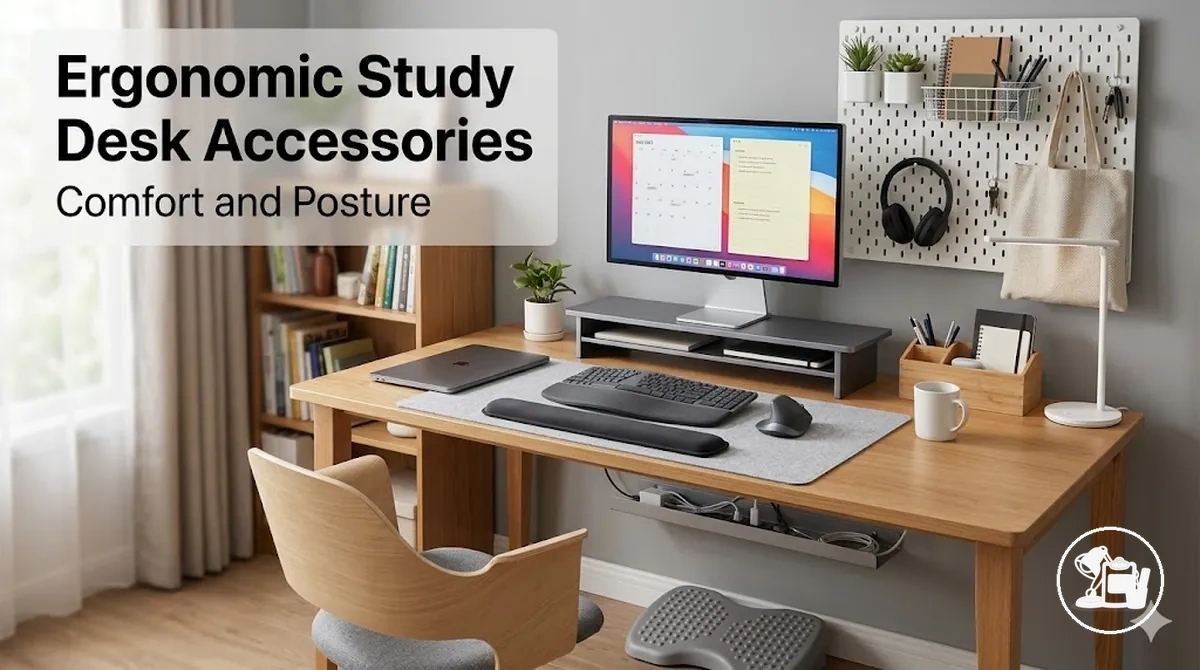
Ergonomic study desk accessories for comfort and posture
Ergonomic study desk accessories are designed to enhance comfort and support better posture during study sessions. They help align screen height, maintain proper wrist and forearm positioning, support foot placement, optimize reading angles, and provide suitable lighting conditions. The effectiveness of these accessories depends on desk height, chair position, body size, study habits, and the fit of each accessory, and they are intended to complement rather than replace an appropriate desk and chair setup.
These accessories include adjustable laptop or monitor stands, wrist and forearm rests, footrests, and supportive reading aids, each aimed at reducing strain and improving overall comfort. Proper use considers how each accessory interacts with the existing study environment, which can help minimize neck, shoulder, and lower-back tension during longer sessions.
Evaluation of accessory fit should account for desk and chair dimensions, body posture, and study materials. For instance, elevated laptop stands may require an external keyboard or separate writing space, while footrests and book stands can be adjusted for optimal leg and reading posture. Lighting adjustments can further influence visual comfort and postural alignment, contributing to a more comfortable study setup.
For broader guidance on integrating these ergonomic accessories with other study desk setup elements, see the study desk setup accessories hub.

Understanding ergonomic desk accessories and their benefits
Ergonomic desk accessories are items that help position the body, screen, reading material, and hands more comfortably during study activities. They are designed to support alignment and reduce unnecessary strain during desk work, while their usefulness may vary based on fit, posture, and individual study habits.
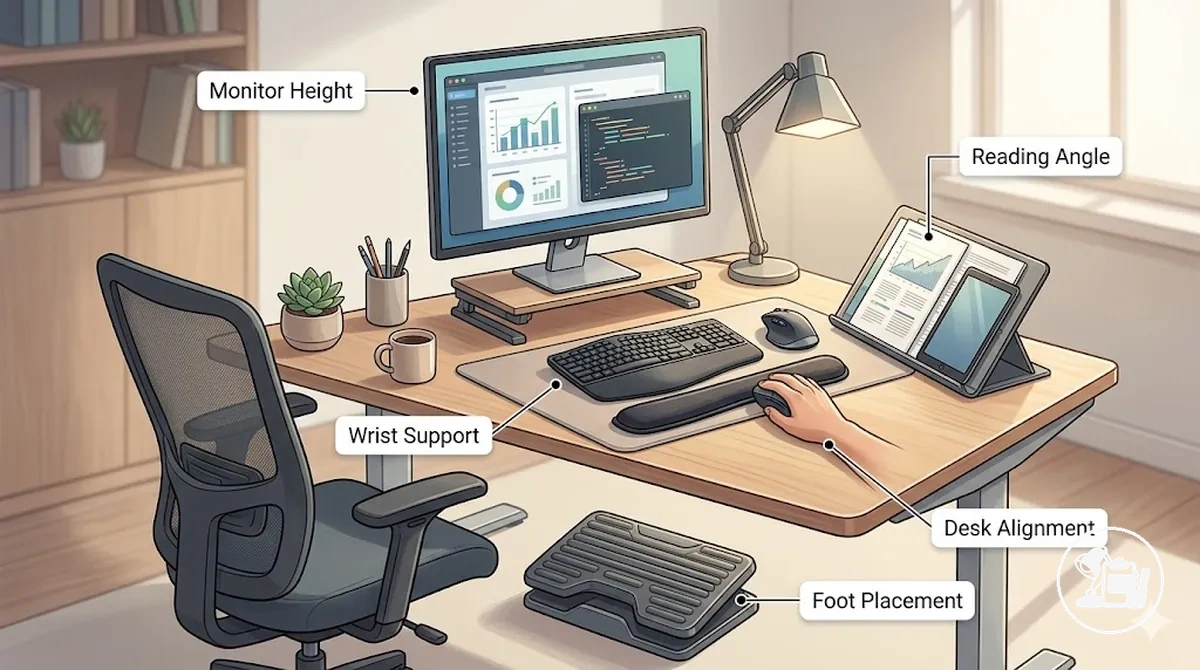
Ergonomic desk accessories address specific positioning needs through their intended function. For example, a document holder may improve reading angle, while a wrist support may help maintain a more neutral hand position. When the accessory suits the user and study environment, it can contribute to improved comfort and support better posture during study sessions.
The benefits of ergonomic desk accessories depend on how well they fit the existing setup. They are intended to support an already reasonable desk and chair position rather than compensate for unsuitable furniture placement, so outcomes may differ between users and study environments.
Common posture and comfort issues at study desks
Posture and comfort issues at study desks often arise when screen position, arm support, reading angle, or study duration do not align with the user’s working posture. These situations may become more noticeable during extended study sessions, particularly when laptops, notebooks, books, or mixed study materials encourage repeated downward viewing, reaching, or leaning.
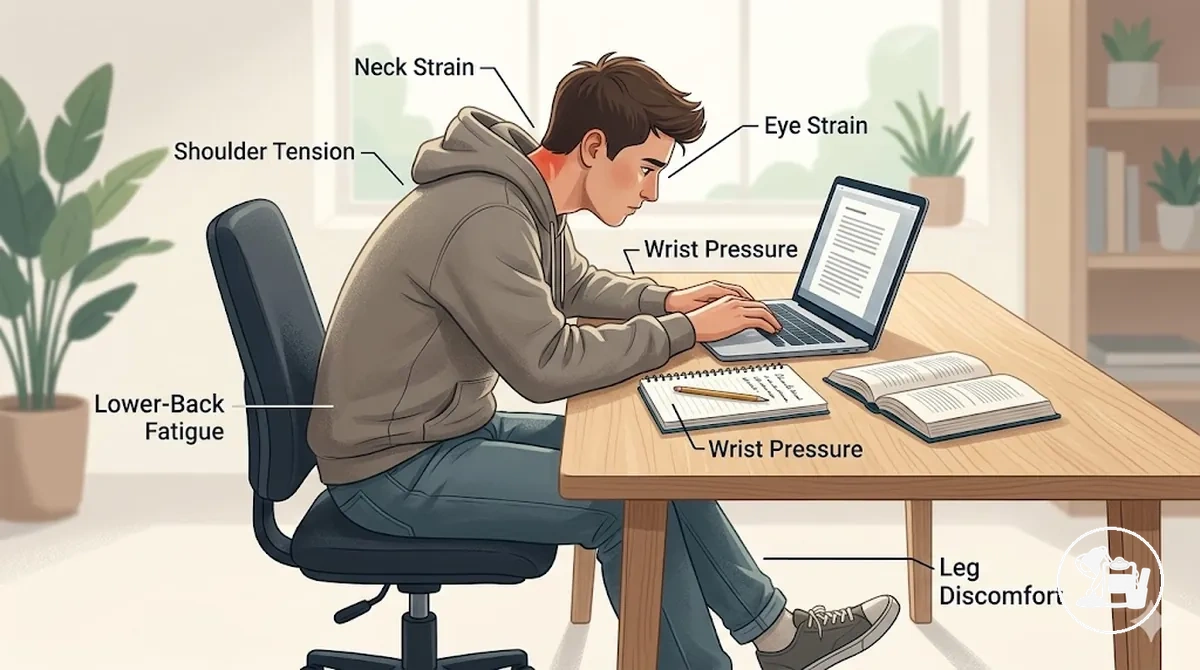
Many discomfort patterns relate to setup conditions rather than a specific health issue. Ergonomic accessories may help support better positioning when they address a particular setup limitation, although results can vary by desk arrangement, body size, seating position, and study habits.
- Neck strain: May occur when a laptop screen, notebook, or book remains below a comfortable viewing level. Positioning accessories can help support a more neutral viewing angle.
- Shoulder tension: May develop when the arms lack support or remain extended for long periods. Accessories that improve arm positioning can help reduce unnecessary shoulder loading.
- Wrist pressure: May appear when typing or writing places the hands against hard desk edges or awkward surface angles. Supportive positioning accessories can help improve hand and forearm alignment.
- Lower-back fatigue: May be associated with prolonged leaning, slouching, or uneven sitting posture. Accessories that support better positioning can help encourage a more balanced sitting arrangement.
- Eye strain: May become more noticeable when screens and reading materials require frequent refocusing or are viewed from less comfortable angles. Placement-support accessories can help improve viewing conditions.
- Leg discomfort: May occur when foot placement feels unstable or when desk and chair proportions do not support comfortable lower-body positioning. Foot-support solutions can help improve stability during study sessions.
When discomfort relates more to concentration challenges or environmental distractions than physical positioning, accessories for study focus may provide additional context.
Key ergonomic accessories and their functions
Ergonomic accessories are organized by the body position or study task they support rather than by brand or price. Function-based grouping highlights how each accessory contributes to posture and comfort by targeting specific areas or tasks during study sessions.
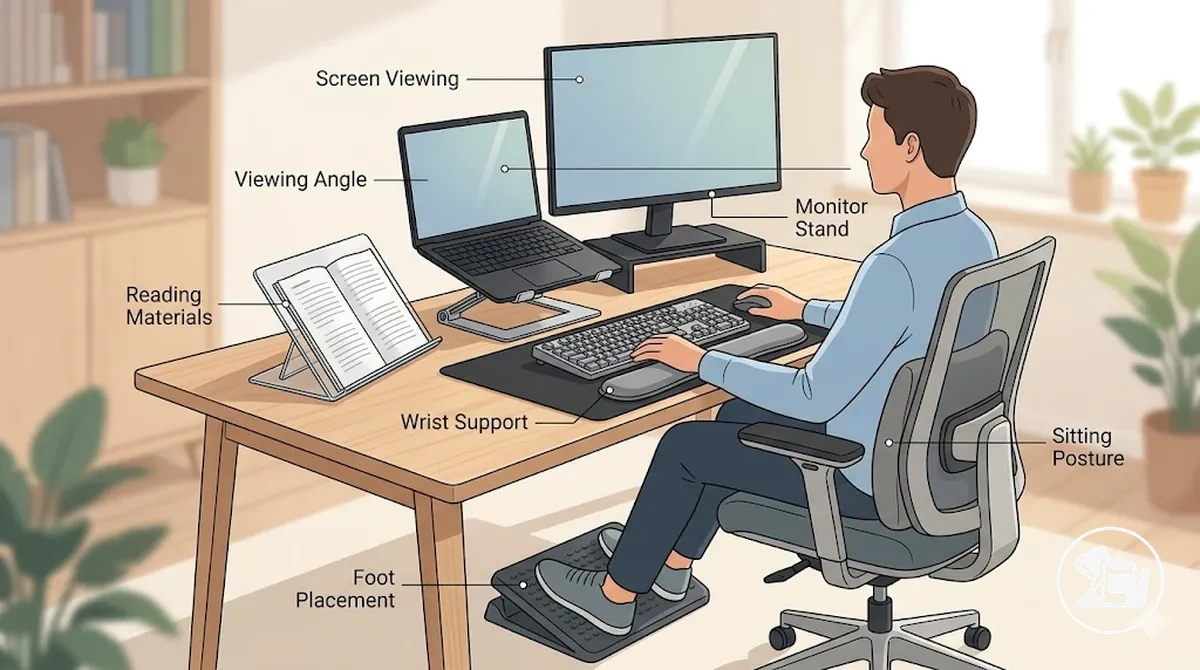
Each accessory group aids a specific body area or task through an adjustment, feature, or positioning element. Comfort and posture improvements depend on the existing desk setup, task type, and individual study habits.
| Accessory Group | Supported Body Area or Task | Adjustment or Feature | Potential Outcome |
|---|---|---|---|
| Laptop and monitor stands | Screen viewing | Adjustable display height or angle | May support more comfortable viewing |
| Document and book holders | Reading materials | Raised or angled surface | May reduce repeated downward viewing |
| Wrist support accessories | Typing and writing tasks | Hand and forearm support surface | May improve wrist and forearm alignment |
| Footrests | Lower-body positioning | Elevated and stable foot placement | May support balanced sitting posture |
| Seat support accessories | Sitting posture | Additional positioning support | May improve comfort during study sessions |
| Reading-angle accessories | Books, notebooks, mixed materials | Adjustable viewing angle | May enhance comfortable study posture |
Laptop and monitor stands for proper screen height
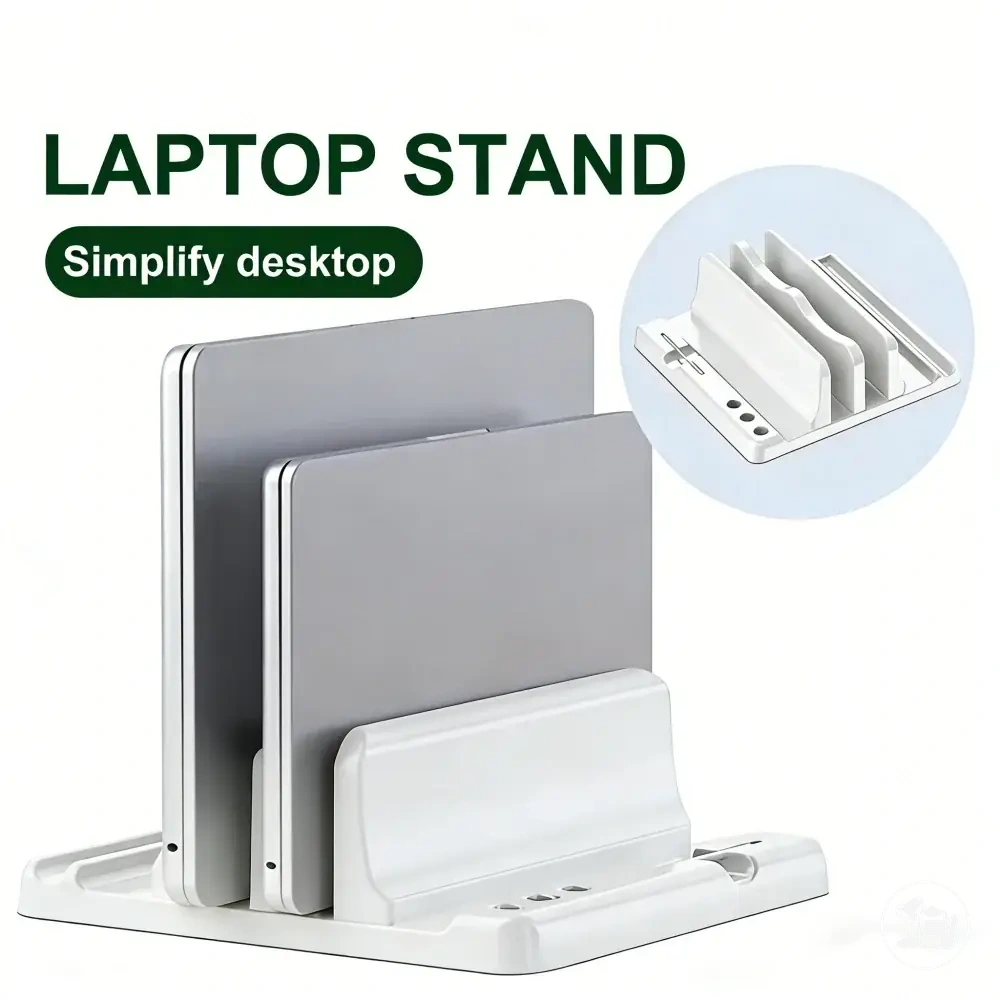
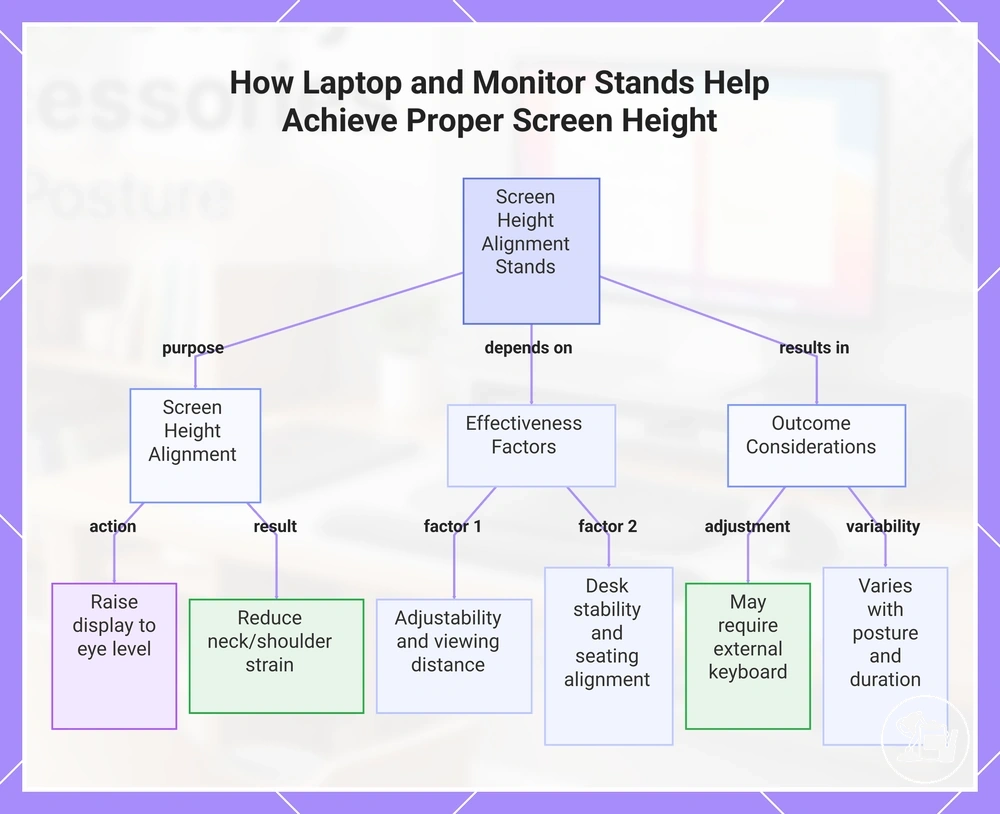
Laptop stands and monitor stands can help when screen placement encourages frequent downward viewing or awkward head posture. Their effectiveness depends on adjustability, viewing distance, desk stability, and alignment with the user’s typical sitting position.
These stands support screen-height alignment by raising or repositioning the display. Adjustable models allow modification of the screen position, which may help reduce neck or shoulder strain when the display would otherwise sit too low. Outcomes vary with seating posture, screen location, and study duration.
Raising a laptop can alter keyboard position, so a raised laptop may require an external keyboard or separate writing surface to maintain comfortable hand placement during typing or note-taking.
- Eye level: Position the screen to allow comfortable viewing without frequent head tilting.
- Viewing distance: Place the screen to support clear visibility without leaning forward excessively.
- Keyboard position: Use an external keyboard if the laptop screen is elevated to maintain a neutral hand posture.
- Desk stability: Ensure the stand remains stable during typing, reading, and general study tasks.
This chart shows the purpose, key effectiveness factors, and resulting adjustments for using laptop and monitor stands to achieve proper screen height.
Wrist and forearm support: mats and rests
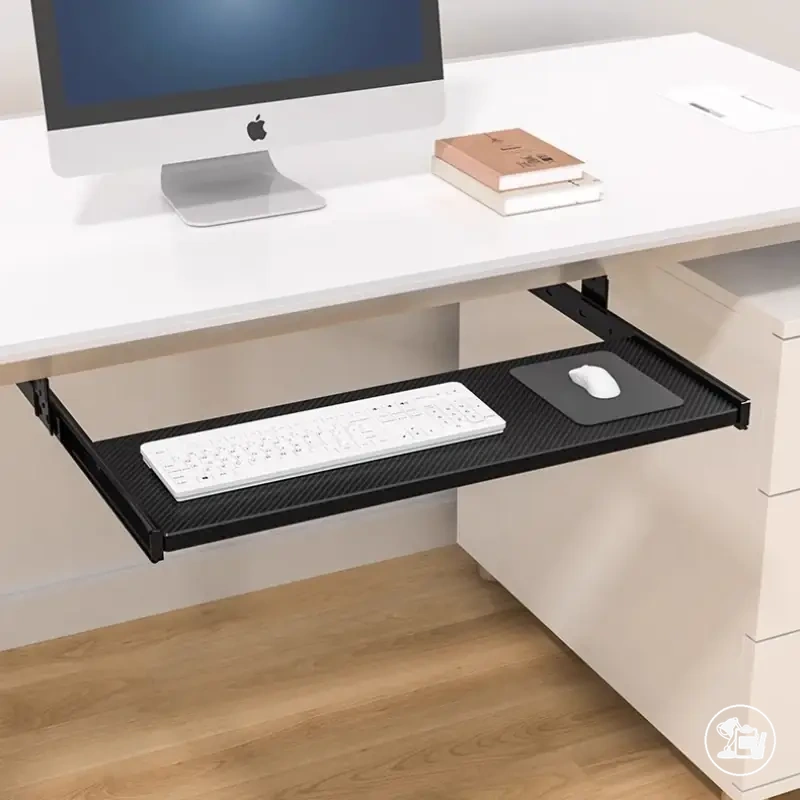
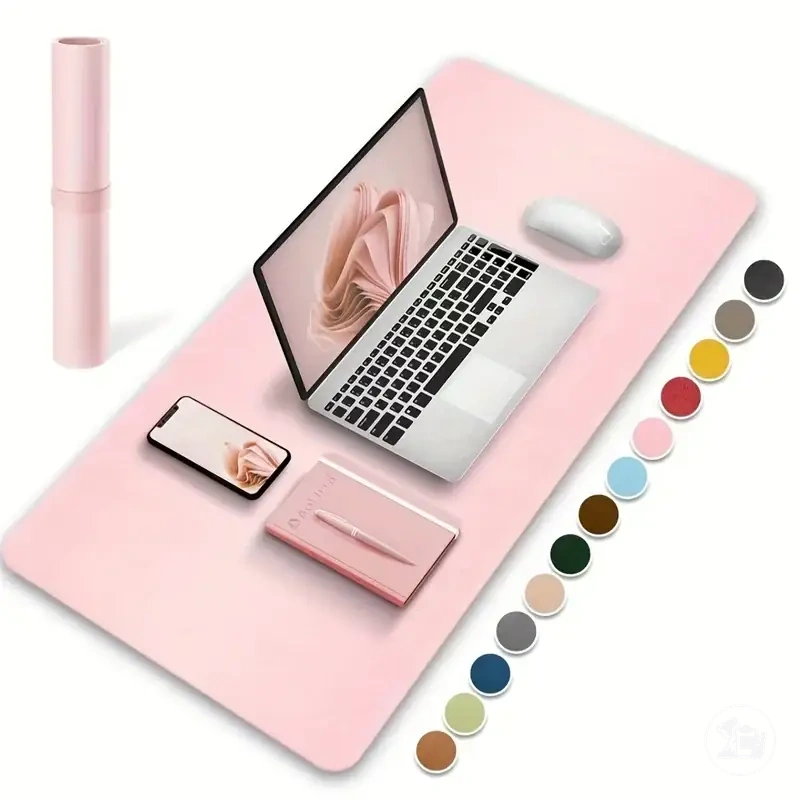
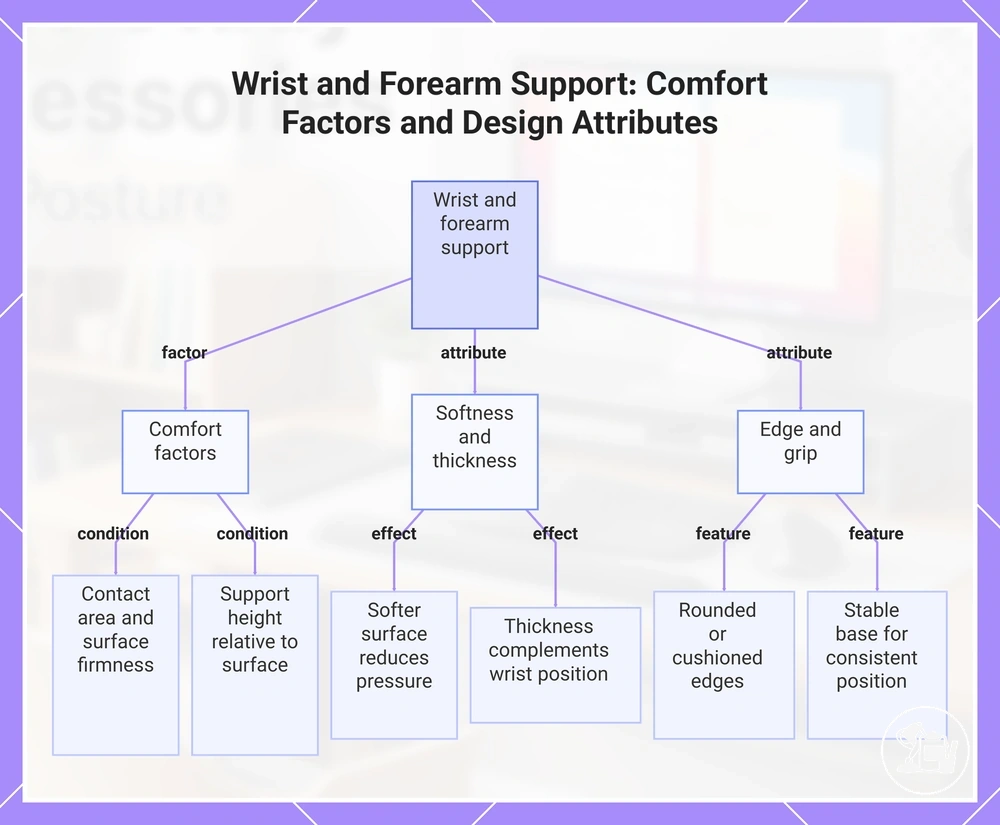
Wrist rests, desk mats, and forearm supports can help distribute contact pressure during keyboard, mouse, and writing tasks. Comfort depends on the contact area, surface firmness, and support height relative to the working surface.
A wrist rest or forearm support works by providing a contact area between the arm and the desk edge. When firmness and height are proportionate to the task, pressure may be distributed more evenly across the wrist or forearm. Excessive height, however, can create awkward wrist elevation, while supportive alignment may help maintain a more neutral position.
- Softness: A softer surface may reduce concentrated pressure at contact points.
- Thickness: Support height should complement wrist and forearm positioning rather than raise them excessively.
- Edge pressure: Rounded or cushioned edges may feel more comfortable than hard contact surfaces.
- Grip: A stable base can help keep the support in a consistent position during use.
- Cleaning: Easy-to-clean surfaces can help maintain the condition of the contact area over time.
This chart shows the main factors that determine comfort in wrist rests and forearm supports, including contact area, firmness, height, softness, thickness, edge shape, and grip.
Footrests and book stands for posture support
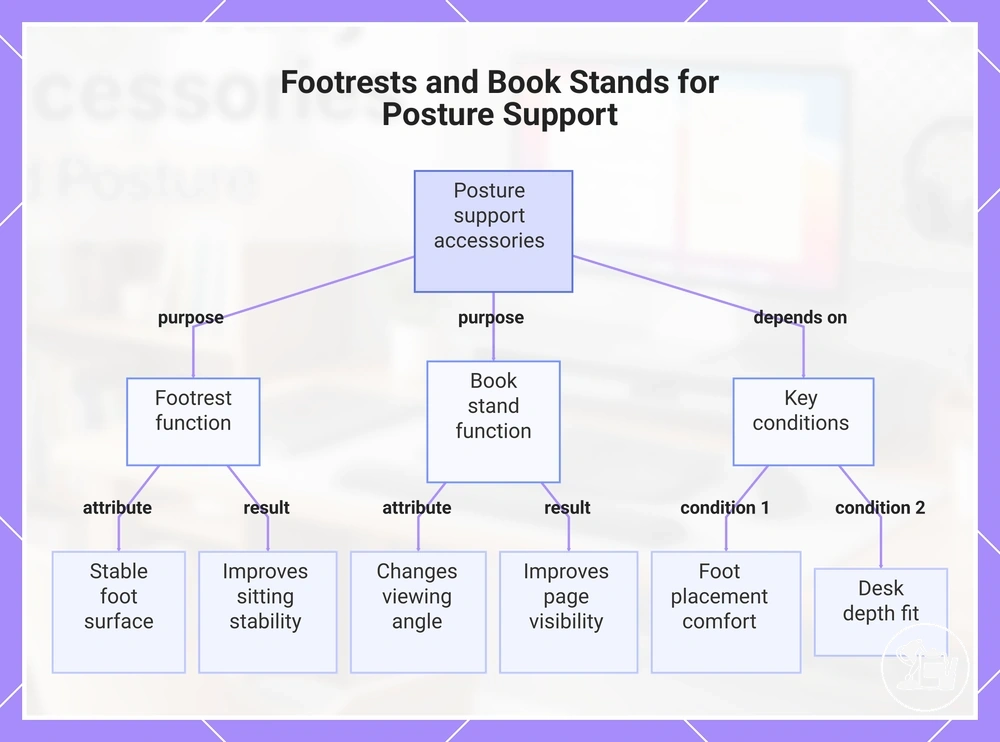
Footrests and book stands can support lower-body position and reading posture when desk, chair, or reading-material placement does not align comfortably with the study setup. Their usefulness depends on foot placement, reading angle, page visibility, and available desk space rather than providing universal posture improvement.
A footrest supports the lower-body position by providing a stable surface for the feet. When a chair sits relatively high or foot contact with the floor feels inconsistent, an adjustable footrest may improve stability and sitting comfort. A book stand supports reading posture by changing the viewing angle of books, notebooks, or similar materials, which may improve page visibility during longer study sessions.
For example, a book stand may help position a thick textbook at a more visible angle, reducing the need for frequent repositioning while reading.
- Foot placement: Feet should rest comfortably on the support surface without excessive reaching or lifting.
- Book angle: Adjustable positioning can help match different reading materials and viewing preferences.
- Desk depth: The accessory should fit available desk space without restricting study materials.
- Page visibility: The reading surface should keep content visible with minimal repositioning.
This chart shows how footrests and book stands support posture and what conditions affect their usefulness.
Choosing ergonomic accessories: selection criteria
Selection criteria depend on matching a study need with the accessory attributes that address it. Before considering products, evaluate fit, adjustability, stability, material feel, footprint, and study habits to determine which criteria deserve priority and which trade-offs may be acceptable.
A user need should guide the decision process. For example, when limited desk space conflicts with screen positioning, prioritizing screen-height adjustment may be more important than minimizing accessory footprint. After the need and trade-off are clear, use the criteria below to compare options.
| User Need | Accessory Attribute | Acceptable Condition | Decision Signal or Trade-off |
|---|---|---|---|
| Screen height | Adjustability | Position can be changed to suit the setup | Prioritize adjustment when screen placement varies |
| Wrist comfort | Material feel and support surface | Contact area feels comfortable during use | Choose support characteristics that match task duration |
| Foot support | Stability and height adjustment | Feet can rest comfortably on the support | Prioritize stability when floor contact feels inconsistent |
| Reading angle | Viewing-angle adjustment | Reading material remains visible without frequent repositioning | Adjustability may matter more for thicker books or mixed materials |
| Lighting | Positioning flexibility | Light can be directed where needed | Prioritize placement control when visibility changes throughout the day |
After identifying the most important need and acceptable trade-offs, use comfort and fit checks to verify whether an accessory suits the study setup.
Desk height, chair position, and space fit checks
Accessory fit depends on desk height, chair position, and available space because these conditions affect arm angle, foot contact, placement options, and safe use. Before choosing an accessory, verify that it can fit the study setup without creating awkward positioning for the user, study materials, or existing furniture.
- Desk height → arm angle: Check whether a stand, mat, or support accessory allows a comfortable arm position. Fit may vary by user size and desk dimensions.
- Chair position → foot contact: Verify whether feet can maintain comfortable contact with the floor or a footrest. Compatibility depends on chair height and seating position.
- Surface depth → stand or mat placement: Confirm that the desk has enough depth for the accessory while leaving space for notebooks, books, or other study materials.
- Available space → safe use: Check that the accessory can be positioned without obstructing movement, reading materials, or routine study tasks.
For example, a monitor stand may fit the desk width but still feel unsuitable if limited surface depth leaves insufficient room for notebooks or writing activities. Accessory fit should therefore be verified against both furniture dimensions and study-material requirements.
Adjustability and stability considerations
Adjustability and stability criteria determine whether an ergonomic accessory can remain practical in daily use. An accessory may look supportive, but its usefulness depends on whether height, tilt, grip, and structural stability can match the study setup without creating movement, imbalance, or awkward positioning.
- Height adjustment: Check whether the accessory allows position changes that suit the user, desk, and study materials. Limited adjustment may reduce comfort when conditions vary.
- Tilt adjustment: Verify that viewing or reading angles can be modified when needed. Adjustable tilt may improve usability across different tasks.
- Grip: Contact surfaces should help keep the accessory in place during normal use. Insufficient grip may allow unwanted movement.
- Load support: Confirm that the accessory can support the intended item without noticeable instability. Compatibility may depend on the size and weight of books, screens, or other materials.
- Anti-slip base: A stable base may help maintain position on the desk surface and reduce shifting during study sessions.
- Edge comfort: Edges and contact points should feel comfortable during use and should not create unnecessary pressure where hands or arms rest.
- Build stability: Check for wobble or movement when the accessory is positioned for use. Instability may reduce usability, particularly when supporting taller screens or heavier reading materials.
A caution check is useful when an accessory will support heavier books or elevated screens, as limited stability may affect comfort and consistent positioning during study activities.
Proper lighting for ergonomic study desks
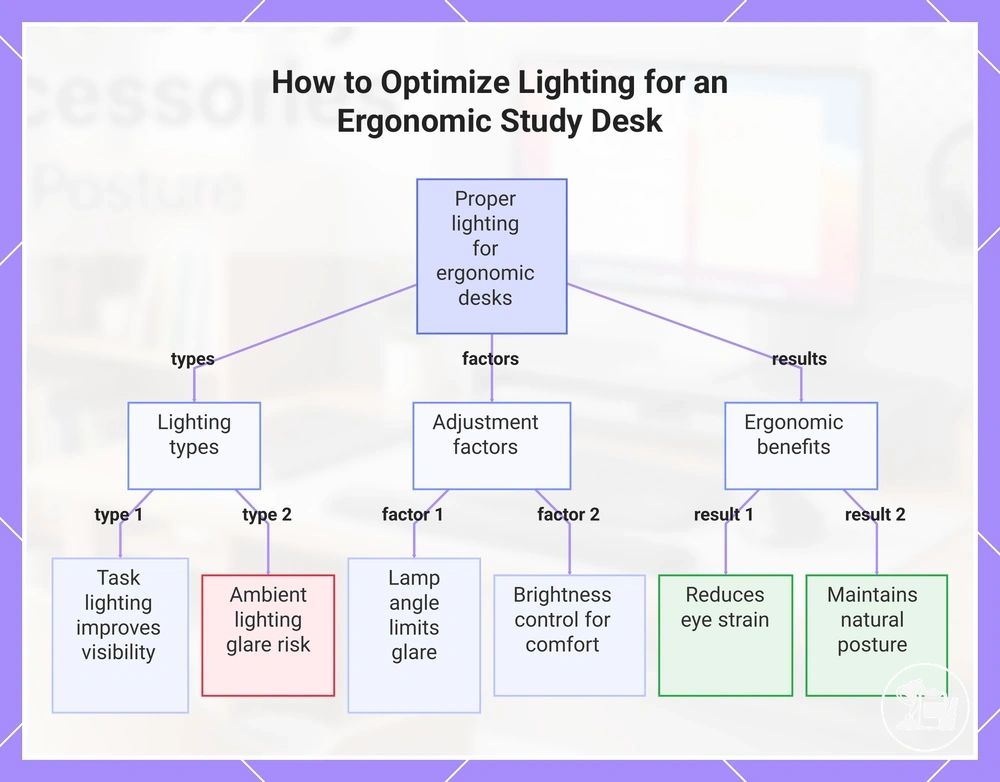
Lighting for ergonomic study desks depends on placement, brightness, and direction to influence eye comfort, reading angle, glare, and posture. Properly adjusted lighting can reduce eye strain and help maintain a natural posture during extended study sessions.
Task lighting focuses directly on the study surface and may help minimize shadows and improve visibility, while room or ambient lighting provides overall illumination but can create uneven brightness or reflections on materials. Each type affects ergonomic comfort differently, so positioning and intensity should be verified relative to the user’s desk and materials.
Lamp angle and brightness should be adjusted to limit glare and shadow on reading surfaces. For example, angling a desk lamp from above or the side can improve text visibility without creating reflections on a screen, which may help maintain a comfortable posture and reduce eye fatigue.
Lighting considerations here are limited to effects on ergonomic comfort at the study desk; for broader guidance on visual comfort accessories, see lighting and eye comfort:contentReference[oaicite:0]{index=0}.
This chart shows the key lighting types, adjustment factors, and ergonomic benefits for proper desk lighting.
Common mistakes with ergonomic accessories
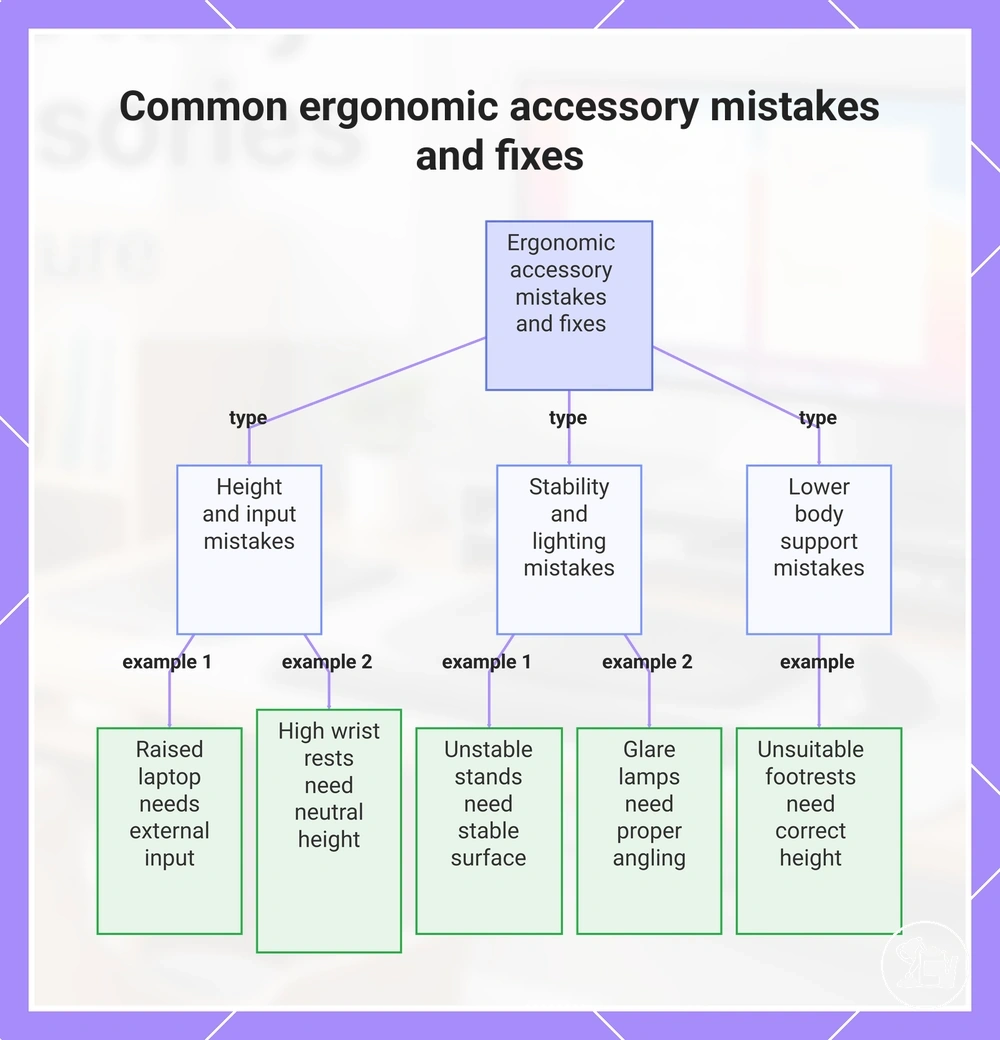
Ergonomic accessory mistakes often reduce their usefulness or introduce new discomfort. Incorrect height, angle, pressure, or placement can reverse intended benefits, making it important to identify and correct common setup issues.
- Raised laptops without external input: Elevating a laptop without a separate keyboard or mouse can force the wrists and shoulders into awkward positions. Safer adjustment: use an external input device to maintain neutral arm and hand posture.
- High wrist rests: Wrist supports that are too tall may increase wrist extension and forearm pressure. Safer adjustment: select a rest height that allows wrists to remain neutral while typing or writing.
- Unstable stands: Wobbly stands may compromise screen alignment and posture. Safer adjustment: place the stand on a stable surface and ensure it can support the intended item without movement.
- Unsuitable footrests: Foot supports that are too low or high can alter leg and lower-back positioning. Safer adjustment: adjust footrest height to keep feet supported and promote balanced sitting posture.
- Glare-causing lamps: Poorly positioned lighting can create reflections or shadows on screens and pages, straining eyes and promoting forward head posture. Safer adjustment: angle lamps to illuminate materials without direct glare or shadow, improving visual clarity and comfort.
For guidance on overall setup and proper placement, see arranging accessories ergonomically:contentReference[oaicite:0]{index=0}.
This chart shows common mistakes when using ergonomic accessories and the corresponding safer adjustments.
Optimal order for adding ergonomic study desk accessories
Determining the priority for adding ergonomic accessories depends on current discomfort, desk setup, and budget sensitivity. Accessories that address immediate strain or common posture issues should generally be considered first, while items with smaller impact or conditional benefit may be added later.
| Need | Accessory Candidate | Fit Condition | Value Reason / Reason to Delay |
|---|---|---|---|
| Screen and head alignment | Laptop or monitor stand | Screen can be raised without creating keyboard strain | Helps reduce neck and shoulder strain; prioritize if frequent downward viewing occurs |
| Hand and wrist comfort | Wrist or forearm support | Support matches desk height and typing angle | Supports neutral wrist posture; add after primary screen adjustment if discomfort persists |
| Lower-body stability | Footrest | Feet fully contact support surface | Promotes balanced leg and lower-back posture; may be delayed if floor contact is adequate |
| Reading angle | Book or document holder | Pages clearly visible without downward neck tilt | Improves reading posture; prioritize when extended study of books or notes occurs |
| Lighting and eye comfort | Desk lamp or task light | Illumination covers workspace without glare | Reduces eye strain; add after core posture-supporting accessories are in place |
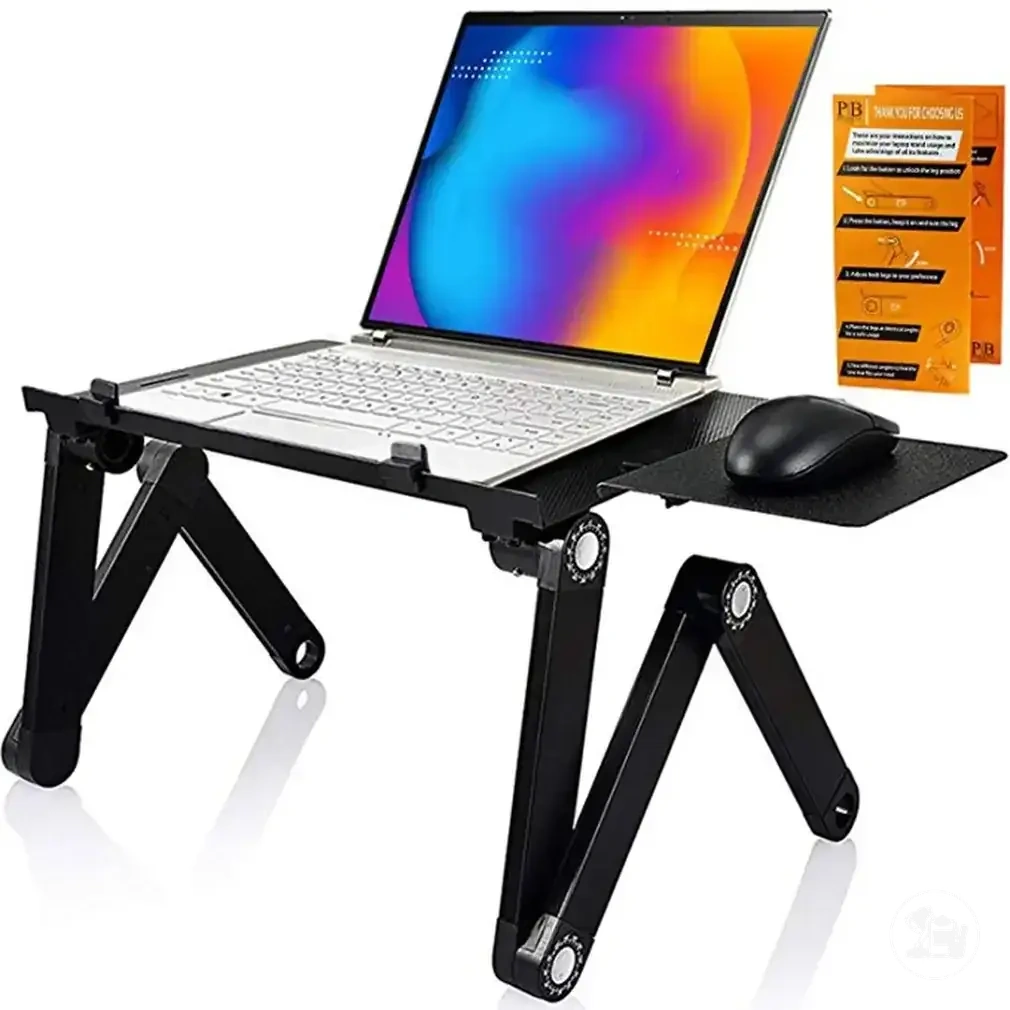
Here are product examples that may make comparison easier. Before buying, always review the compatibility criteria, essential features, and product details.